

Download Walnut Theme – Firefox wood skin, customizable browser theme
Overview
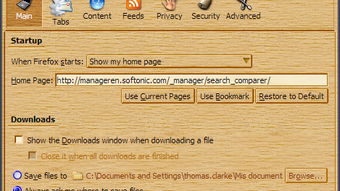
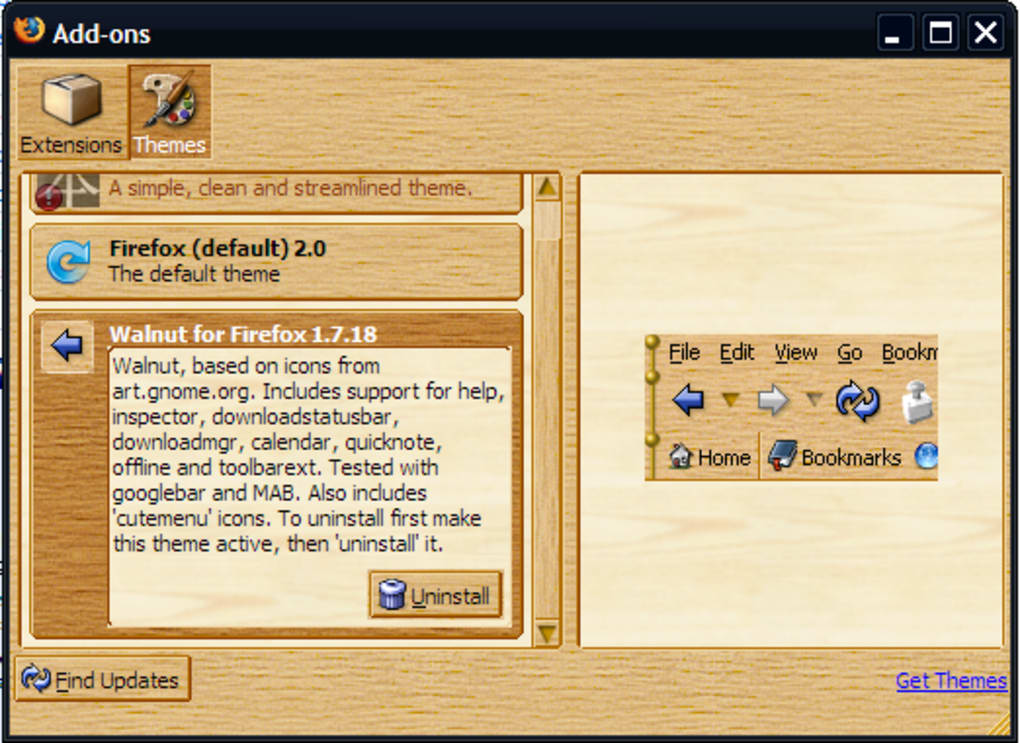
Walnut Theme brings a rustic, wood‑grain aesthetic to Mozilla Firefox, turning the familiar browser interface into something that feels like it was crafted from a vintage cabinet. Built for users who love personalisation, Walnut replaces the default window borders, toolbar backgrounds, menu bars, and even the default icons with a cohesive wooden texture. While the visual impact is unmistakable, the theme also supports newer Firefox features such as tabs on top, the AppMenu, and the updated Add‑ons Manager introduced with Firefox 4.0.
The theme is compatible with Firefox 3.6 and later, and it respects the modern UI changes like animated toolbar buttons and the door‑hanger notification system. Although the design is intentionally bold, it may affect readability for some users, especially on high‑contrast monitors. Nonetheless, Walnut remains a popular choice for those who want a distinctive look that sets their browsing experience apart from the default grey.
Key Features & Visual Design
- Full‑body wood grain skin covering window borders, toolbar, and menus.
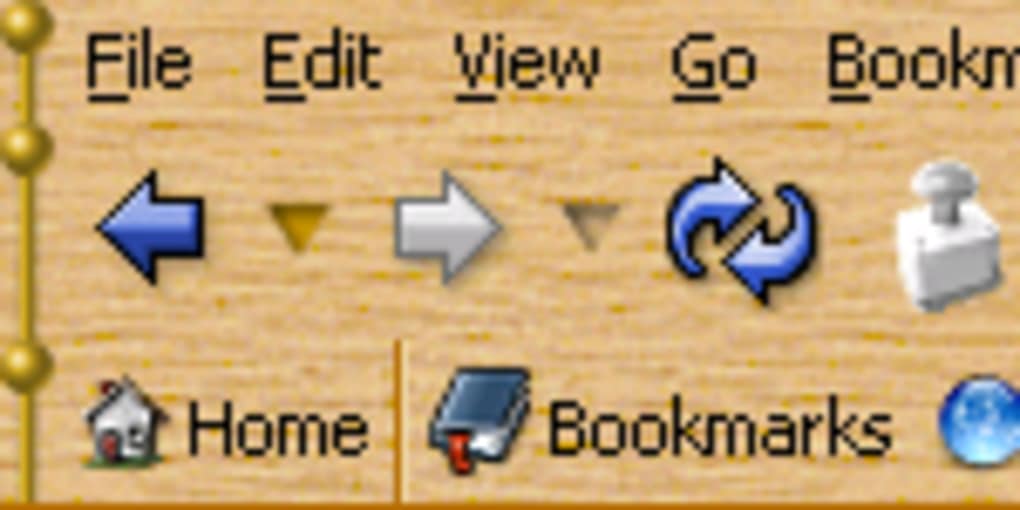
- Custom icon set that matches the wooden theme for bookmarks, extensions, and system actions.
- Support for Firefox 4.0 features: tabs on top, AppMenu, new Add‑ons Manager, and door‑hanger notifications.
- Animated toolbar buttons and menus for a more dynamic feel.
- Compatibility with popular extensions like Google Toolbar, TabmixPlus, HideCaption, DataManager, and LiquidTabs.
- Responsive adjustments for Firefox 3.6+ ensuring the theme scales correctly with different window sizes.
- Lightweight code that does not noticeably slow down browser performance.
The Walnut Theme’s visual design centers around a warm, medium‑tone wood texture that adds depth without overwhelming the interface. The custom icon set replaces the standard flat icons with slightly embossed, wood‑styled symbols, giving a subtle 3‑D impression. Animated elements, such as hover effects on toolbar buttons, keep the experience lively while still adhering to the theme’s natural motif. For users who prefer a less intrusive look, the theme offers a “minimal wood” variant that tones down the background pattern, focusing on the icon set alone. Overall, Walnut balances aesthetic ambition with functional compatibility, making it a reliable option for users who enjoy a themed browsing environment.
Installation, Usage & Compatibility
Installing Walnut Theme is straightforward and mirrors the standard Firefox add‑on installation process. Follow these steps to get the theme up and running:
- Visit the official Mozilla Add‑ons page for Walnut Theme.
- Click the “Add to Firefox” button; a confirmation dialog will appear.
- Press “Add” to approve the installation. Firefox may request permission to modify the browser UI—grant it to continue.
- Once installed, a prompt will ask if you’d like to enable the theme immediately. Choose “Enable” to apply the wood skin instantly.
- If you prefer to switch back to the default appearance, navigate to Menu → Add‑ons → Themes and select “Default Firefox Theme.”
After activation, the theme automatically adjusts to the current Firefox version, respecting the location of tabs (top or bottom) and the presence of the AppMenu. Users who employ extensions such as TabmixPlus or LiquidTabs will notice that Walnut maintains the custom colour palette of those tools, ensuring a harmonious look across the interface. The theme also supports the newer door‑hanger notification system, meaning geolocation prompts and other alerts retain the wood‑styled background.
Walnut Theme is designed for desktop environments running Windows, macOS, and Linux where Firefox is supported. Mobile versions of Firefox (Android and iOS) do not currently support desktop themes, so Walnut is limited to the desktop browsers.
Usage tips: If you experience reduced readability due to the wood pattern, adjust the browser’s zoom level (Ctrl + / –) or switch to the “minimal wood” variant via the theme’s settings page. Regularly check for updates on the add‑ons page to ensure compatibility with the latest Firefox releases.
Pros, Cons, Frequently Asked Questions & Conclusion
Pros
- Unique wood‑grain aesthetic that differentiates Firefox from the default look.
- Full compatibility with Firefox 3.6+ and newer UI elements.
- Works seamlessly with popular extensions like TabmixPlus, HideCaption, and LiquidTabs.
- Lightweight implementation that does not degrade browser performance.
- Provides an optional “minimal wood” mode for users seeking a subtler visual change.
Cons
- Wood texture may reduce contrast, making text harder to read for some users.
- Not supported on Firefox mobile browsers (Android/iOS).
- Design is subjective; users who prefer a clean, minimalist UI might find it distracting.
- Occasional visual glitches can appear after major Firefox updates until the theme is refreshed.
Frequently Asked Questions
Is Walnut Theme free to download?
Yes, Walnut Theme is available as a free add‑on from the official Mozilla Add‑ons repository.
Will the theme affect Firefox’s speed?
The theme is lightweight and does not noticeably impact browsing speed or memory usage.
Can I use Walnut Theme with Firefox Quantum?
Walnut Theme was originally built for Firefox 3.6‑4.0, but community updates keep it functional on newer Quantum builds. Check the add‑ons page for the latest compatible version.
How do I revert to the default Firefox look?
Open Menu → Add‑ons → Themes and select “Default Firefox Theme” to restore the original appearance.
Is there support for high‑contrast accessibility modes?
Walnut Theme does not have a dedicated high‑contrast mode, but you can lower the opacity of the wood background via custom CSS or switch to the minimal variant for better readability.
Conclusion & Call to Action
Walnut Theme offers a distinctive, nature‑inspired makeover for Firefox users who enjoy personalising their browsing environment. While the wood grain may not suit everyone’s taste, its thorough integration with Firefox’s UI, support for popular extensions, and lightweight performance make it a solid choice for those seeking a fresh look. If you’re ready to give your browser a handcrafted feel, simply click the download button below, install the theme, and enjoy a new visual experience that stands out from the standard Firefox palette.







